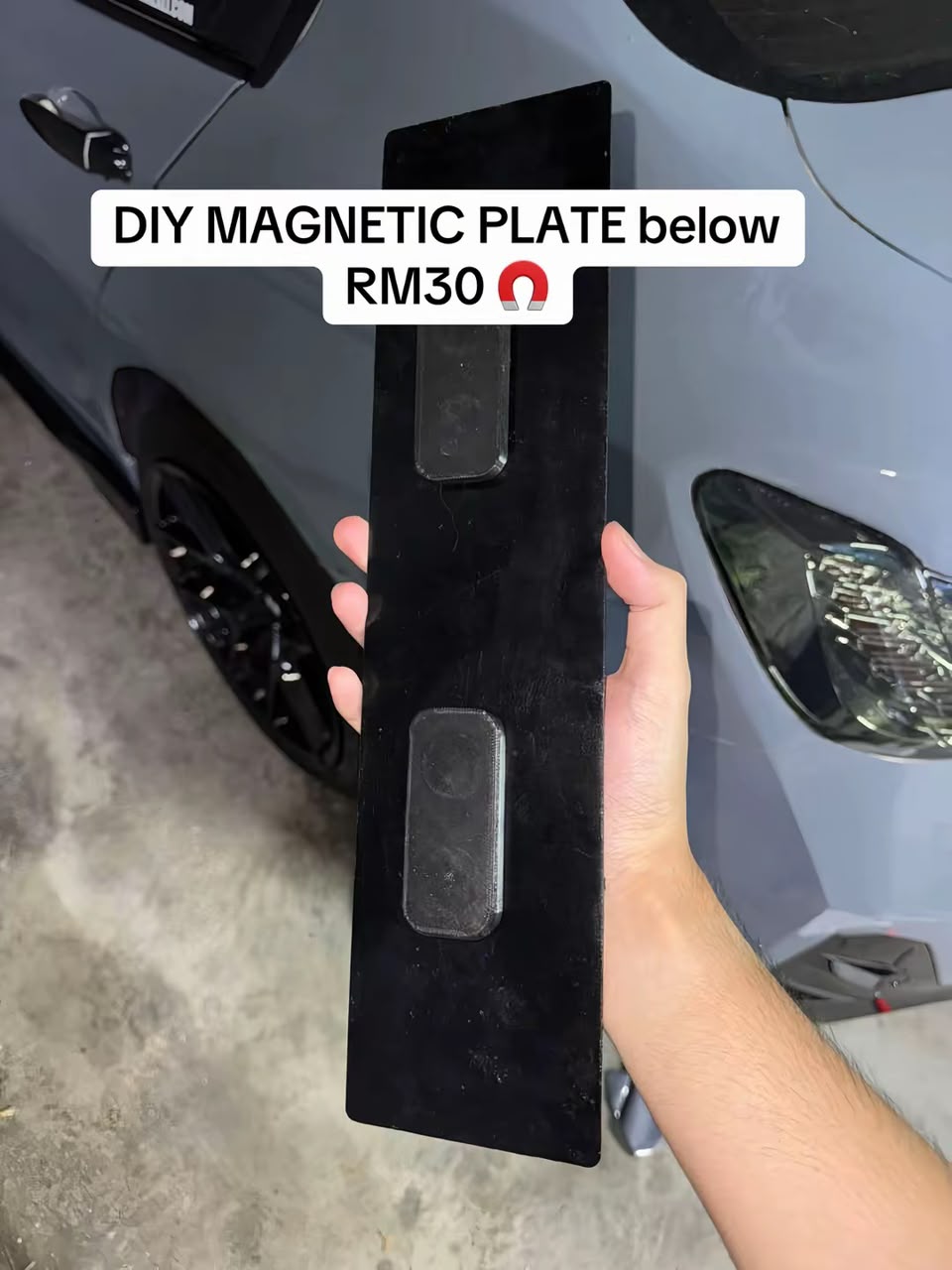
1
Render in OpenSCAD
Open the .scad file → press F6 → wait for the render to finish → select File → Export → Export as STL.
Customise the magnet pockets in the OpenSCAD script, export your STL, then pause your 3D print to insert the magnets before the top closes.
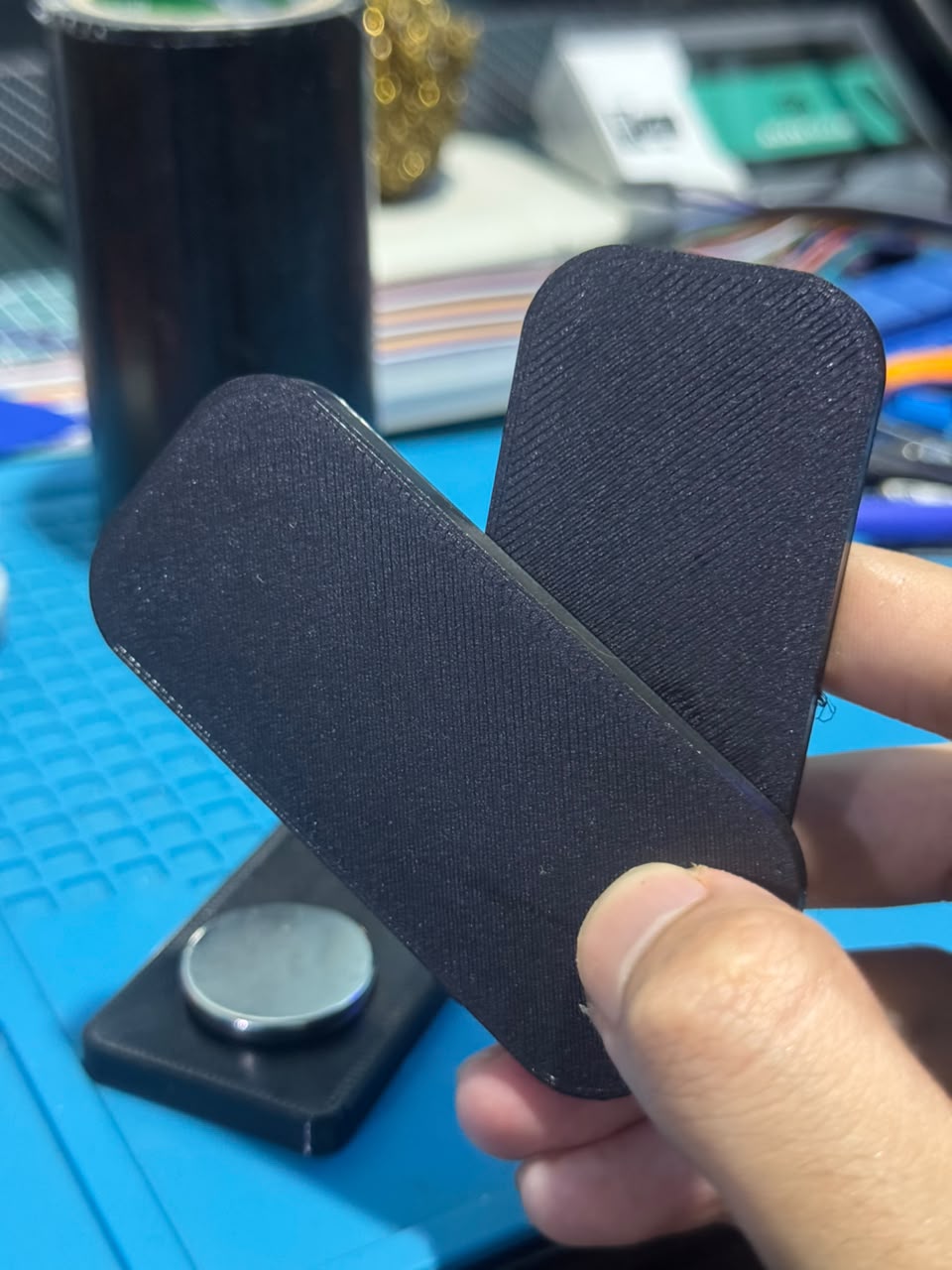
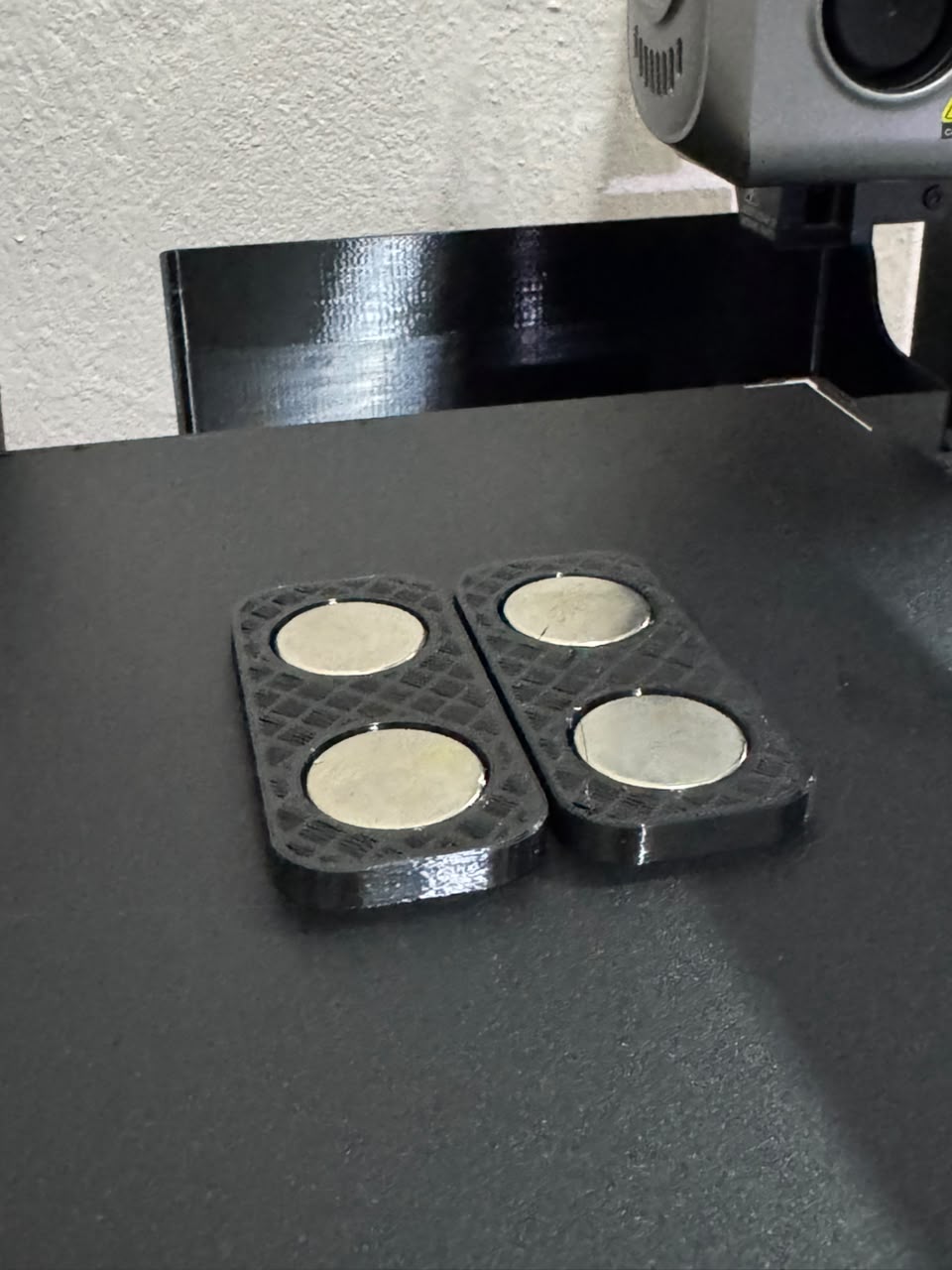
Follow the visual walkthrough before customising and printing your magnetic plate.
Three tools, one simple workflow.
Open the .scad file and edit the parameters near the top. Keep all dimensions in millimetres.
Press F6 to render the solid model, then use File → Export → Export as STL.
Import the STL, slice it, add a pause at the correct layer, and insert the magnets during the pause.
Change only the values you need. The rest of the script calculates the cavities automatically.
magnet_dia = 25.0;Magnet diameter. Measure across the widest part of the magnet.
magnet_thick = 5.0;Magnet thickness, not the diameter.
clearance_dia = 0.4;Extra diameter for fit. The cavity diameter is magnet diameter + this value.
clearance_h = 0.2;Extra vertical room inside the pocket.
mag1_x / mag1_yPosition of magnet 1, measured from the model's lower-left corner.
mag2_x / mag2_yPosition of magnet 2, measured from the same corner.
Example: a 20 mm diameter × 3 mm thick magnet means setting magnet_dia = 20.0; and magnet_thick = 3.0;. Keep the cavity inside the base and make sure the remaining floor and top cover are suitable for your magnet and print material.
This is the product link for the round magnets I use. Check the selected size and quantity on the product page before ordering.
Paste the complete OpenSCAD script below, or replace this placeholder with your final script before publishing the page.
/*
====================================================================
PARAMETRIC MAGNETIC CAR PLATE MOUNT BASE
80 x 36 x 7 mm | 2x Ø25 x 5 mm magnets
====================================================================

Features:
- Rounded rectangular base
- 0.8 mm top chamfer
- Two embedded magnet cavities
- 0.4 mm diametral clearance
- 0.2 mm vertical clearance
- 1.2 mm bottom floor
- 0.6 mm top cover
- Optional magnet visualization

Units: millimeters
*/

$fn = 100;


// ====================================================================
// 1. OUTER DIMENSIONS
// ====================================================================

base_length = 80.0;
base_width  = 36.0;
base_height = 7.0;

corner_radius = 10.0;
top_chamfer   = 0.8;


// ====================================================================
// 2. MAGNET PARAMETERS
// ====================================================================

magnet_dia   = 25.0;
magnet_thick = 5.0;

// Total diameter clearance:
// Ø25.0 + 0.4 = Ø25.4 mm cavity
clearance_dia = 0.4;

// Additional vertical clearance
clearance_h = 0.2;

cavity_dia    = magnet_dia + clearance_dia;
cavity_height = magnet_thick + clearance_h;


// ====================================================================
// 3. INTERNAL WALLS
// ====================================================================

// Material below magnet
floor_thick = 1.2;

// Material above magnet
top_cover = 0.6;

// Automatically calculate cavity Z positions
cavity_z_bottom = floor_thick;
cavity_z_top    = base_height - top_cover;


// ====================================================================
// 4. MAGNET POSITIONS
// ====================================================================

// Magnet 1
mag1_x = 20.0;
mag1_y = 18.0;

// Magnet 2
mag2_x = 60.0;
mag2_y = 18.0;


// ====================================================================
// 5. VALIDATION
// ====================================================================

assert(
    base_length > 0 && base_width > 0 && base_height > 0,
    "ERROR: Base dimensions must be positive."
);

assert(
    corner_radius > 0 &&
    corner_radius <= min(base_length, base_width) / 2,
    "ERROR: Invalid corner radius."
);

assert(
    top_chamfer >= 0 && top_chamfer < base_height,
    "ERROR: Invalid top chamfer."
);

assert(
    cavity_z_top - cavity_z_bottom >= cavity_height,
    str(
        "ERROR: Available cavity height = ",
        cavity_z_top - cavity_z_bottom,
        " mm; required = ",
        cavity_height,
        " mm."
    )
);

assert(
    abs(cavity_z_top - (base_height - top_cover)) < 0.001,
    "ERROR: Incorrect cavity top position."
);

assert(
    abs(
        (cavity_z_top - cavity_z_bottom) - cavity_height
    ) < 0.001,
    "WARNING: Cavity dimensions do not match the intended fit."
);

assert(
    base_width >= cavity_dia,
    "ERROR: Magnet cavity does not fit inside base width."
);

assert(
    mag1_x - cavity_dia / 2 > 0,
    "ERROR: Magnet 1 is too close to the left edge."
);

assert(
    base_length - mag2_x - cavity_dia / 2 > 0,
    "ERROR: Magnet 2 is too close to the right edge."
);

assert(
    abs(mag1_y - mag2_y) < 0.001,
    "WARNING: Magnets are not aligned on the same Y position."
);

assert(
    mag1_y - cavity_dia / 2 > 0 &&
    base_width - mag1_y - cavity_dia / 2 > 0,
    "ERROR: Magnet cavities are too close to the front or rear edge."
);


// ====================================================================
// 6. ROUNDED RECTANGLE
// ====================================================================

module rounded_rectangle(length, width, radius)
{
    hull()
    {
        translate([radius, radius])
            circle(r = radius);

        translate([length - radius, radius])
            circle(r = radius);

        translate([length - radius, width - radius])
            circle(r = radius);

        translate([radius, width - radius])
            circle(r = radius);
    }
}


// ====================================================================
// 7. OUTER BODY
// ====================================================================

module outer_body()
{
    straight_height = base_height - top_chamfer;

    union()
    {
        // Main body
        linear_extrude(height = straight_height)
            rounded_rectangle(
                base_length,
                base_width,
                corner_radius
            );

        // Sloped top chamfer
        translate([0, 0, straight_height])
            linear_extrude(
                height = top_chamfer,
                scale = [
                    (base_length - 2 * top_chamfer) / base_length,
                    (base_width  - 2 * top_chamfer) / base_width
                ]
            )
            rounded_rectangle(
                base_length,
                base_width,
                corner_radius
            );
    }
}


// ====================================================================
// 8. MAGNET CAVITY
// ====================================================================

module magnet_cavity(x, y)
{
    translate([
        x,
        y,
        cavity_z_bottom
    ])
    cylinder(
        d = cavity_dia,
        h = cavity_height
    );
}


// ====================================================================
// 9. COMPLETE MAGNETIC BASE
// ====================================================================

module magnetic_plate_base()
{
    difference()
    {
        // Solid outer body
        outer_body();

        // Magnet cavity 1
        magnet_cavity(
            mag1_x,
            mag1_y
        );

        // Magnet cavity 2
        magnet_cavity(
            mag2_x,
            mag2_y
        );
    }
}


// ====================================================================
// 10. OPTIONAL MAGNET VISUALIZATION
// ====================================================================

// Set true to preview magnet positions.
// The magnets are shown as transparent reference geometry.

show_magnets = false;

module magnet_preview(x, y)
{
    %translate([
        x,
        y,
        cavity_z_bottom
    ])
    cylinder(
        d = magnet_dia,
        h = magnet_thick
    );
}

if (show_magnets)
{
    magnet_preview(mag1_x, mag1_y);
    magnet_preview(mag2_x, mag2_y);
}


// ====================================================================
// 11. DIMENSION SUMMARY
// ====================================================================

echo("========================================");
echo("MAGNETIC PLATE BASE");
echo("Base length:", base_length, "mm");
echo("Base width:", base_width, "mm");
echo("Base height:", base_height, "mm");
echo("Magnet diameter:", magnet_dia, "mm");
echo("Magnet thickness:", magnet_thick, "mm");
echo("Cavity diameter:", cavity_dia, "mm");
echo("Cavity height:", cavity_height, "mm");
echo("Cavity bottom Z:", cavity_z_bottom, "mm");
echo("Cavity top Z:", cavity_z_top, "mm");
echo("Bottom floor:", floor_thick, "mm");
echo("Top cover:", top_cover, "mm");
echo("========================================");


// ====================================================================
// 12. FINAL RENDER
// ====================================================================

magnetic_plate_base();
Tip: avoid changing the validation, cavity, and final render sections unless you understand how the model is constructed.
Follow these steps after you have customised the script.
Open the .scad file → press F6 → wait for the render to finish → select File → Export → Export as STL.
Open the STL in your slicer (for example, Cura, PrusaSlicer, or OrcaSlicer). Choose your printer, material and print settings, then slice the model.
For the default settings, the cavity starts at Z = 1.2 mm and ends at Z = 6.4 mm. Add a pause at the layer boundary around Z = 6.4 mm, before the top-cover layers begin. The exact menu and pause method depend on your slicer and printer.
When the printer pauses, check that both cavities are open and clear. Place one magnet in each pocket, fully seated and with the intended polarity/orientation. Keep magnets away from moving parts and the hot nozzle.
Resume the print so the remaining layers close the pockets. Watch the first roof layers to make sure the magnets do not lift or attract the nozzle. Confirm the magnets are fully enclosed and the print is sound before using the mount.
Pause-at-height behaviour varies by slicer, printer firmware, and layer height. Preview the sliced layers before printing. Never put magnets into a cavity if the pause happens too late or the pocket is already covered. Do not pause at 6.4 mm blindly if your slicer's layer schedule does not match that height.